Build E-commerce Dashboard in Looker Studio: Sales Reporting
Architecting Comprehensive E-Commerce Sales Dashboards in Looker Studio
The centralization of digital commerce reporting represents a fundamental evolution in contemporary business intelligence strategy. Operating a modern e-commerce enterprise generates a massive volume of complex, high-velocity data across disparate platforms, ranging from front-end user behavior tracking in web analytics to back-end inventory management and transactional processing in storefront software. Utilizing Looker Studio to architect a unified, automated sales dashboard eliminates the cognitive burden and operational inefficiency inherent in manually exporting, consolidating, and analyzing siloed data streams. When properly configured, a centralized dashboard functions as a single source of truth for an organization, mitigating reporting discrepancies, facilitating real-time visibility into shifting market dynamics, and accelerating data-driven decision-making processes across marketing, sales, and operations departments.

Constructing a highly functional, enterprise-grade e-commerce dashboard requires a methodical and technically rigorous approach. The process spans strategic metric definition, secure data pipeline integration, relational data blending, complex mathematical modeling, and advanced visual user interface design. This report provides an exhaustive, expert-level examination of the methodologies, technical configurations, and advanced architectural frameworks required to build a dynamic, automated e-commerce sales dashboard in Looker Studio, tailored specifically for analysts, marketers, and business intelligence professionals.
The Foundational Mastery Checklist and Strategic Alignment
Before initiating any technical configurations within the Looker Studio interface, data architects must establish a definitive roadmap. Developing a dashboard without a predetermined strategic framework frequently results in an accumulation of disconnected metrics that fail to drive actionable business decisions. The foundational methodology for creating a highly effective reporting asset begins with a mastery checklist focused on two primary operational pillars: Data Source Integration and Key Performance Indicator (KPI) Design.

The primary objective of the data source integration phase is to identify all necessary platforms—such as Google Analytics 4 (GA4), Google Ads, Search Console, and primary transactional databases like Shopify or WooCommerce—and prepare clean, structured data feeds. This phase demands the resolution of data formatting discrepancies, the establishment of automated ingestion pipelines, and the formulation of data blending protocols. The second pillar, KPI Design and Data Modeling, requires the architect to define intelligent metrics that directly answer critical business questions. This involves translating raw operational data into advanced calculated fields and predictive models that reflect the specific strategic goals of the enterprise. By adhering to this structured mastery checklist, analysts ensure that the resulting dashboard serves as a dynamic analytical instrument rather than a static repository of vanity metrics.
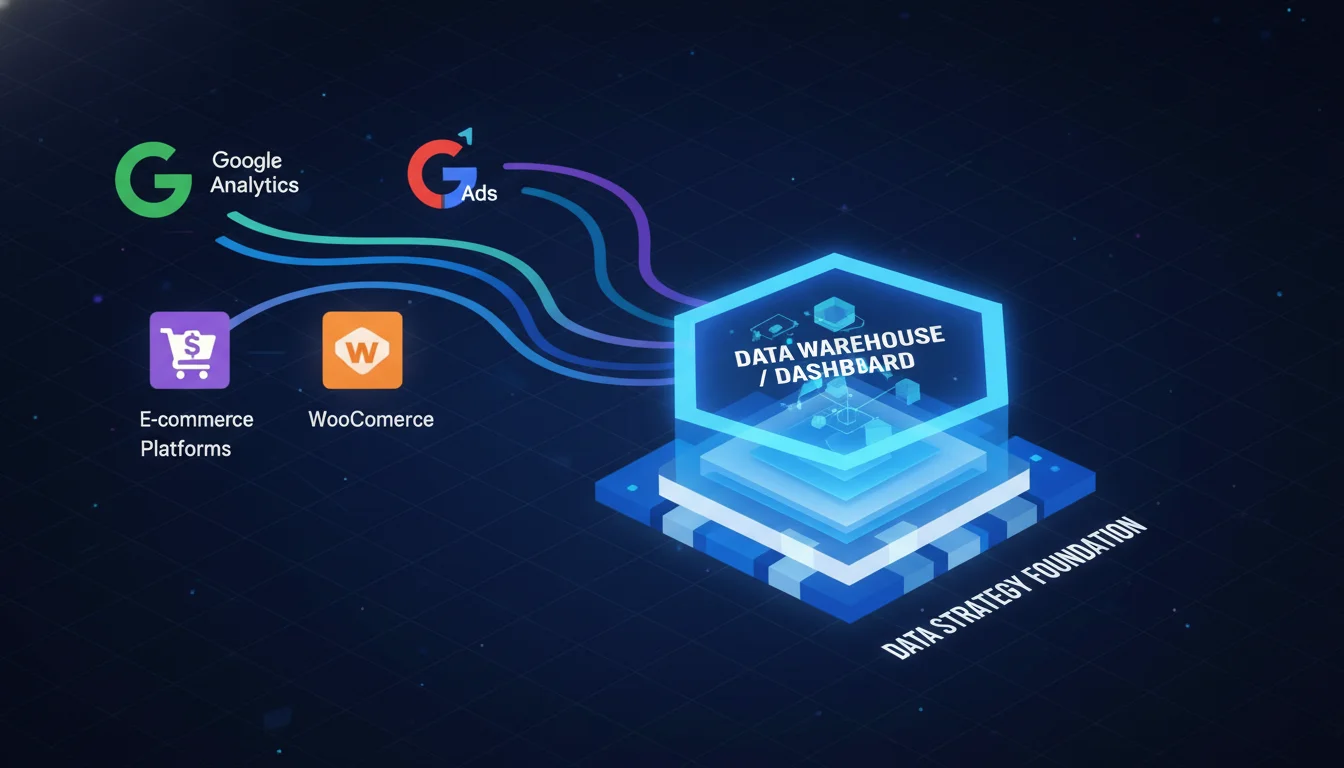
Strategic Foundation: Defining the E-Commerce Taxonomic Framework
The underlying architecture of any professional e-commerce dashboard must be anchored by a rigorously defined set of KPIs. Deploying arbitrary metrics without strategic alignment results in data clutter, visual fatigue, and analytical paralysis for the end-user. The foundational framework for e-commerce performance measurement is built upon a core taxonomy frequently referred to within the industry as the “Big Five”: Average Order Value, Sales Conversion Rate, Website Traffic, Customer Lifetime Value, and Customer Retention Rate.
These core metrics must be systematically augmented with highly granular acquisition, behavioral, and operational data to construct a holistic, multi-dimensional view of the digital sales funnel. The selection and placement of these metrics require a deep contextual understanding of consumer behavior; analyzing these data points in absolute isolation yields limited analytical utility, whereas cross-referencing them across distinct dimensions reveals profound causal relationships. For instance, cross-referencing Cost Per Acquisition (CPA) with Customer Lifetime Value, and subsequently stratifying that data by geographic region or device category, empowers operators to identify exactly which international markets or hardware ecosystems yield the highest long-term profitability relative to their initial advertising expenditures.
The following table categorizes the essential quantitative measurements required for a comprehensive e-commerce dashboard, detailing their mathematical derivation, strategic utility, and the deeper operational insights they provide when visualized effectively.
| Primary E-Commerce KPI | Mathematical Formulation | Strategic Utility, Analytical Value, and Deep Implications |
|---|---|---|
| Sales Conversion Rate | Serves as the primary macroscopic indicator of website efficacy, merchandising success, and overall user experience optimization. High variance in conversion rates across different device types (e.g., mobile versus desktop) or across distinct traffic sources indicates highly specific friction points in the consumer journey that require immediate optimization. | |
| Cart Abandonment Rate | Identifies systemic friction, trust deficits, or technical failures occurring specifically within the checkout flow. The industry baseline for cart abandonment frequently approaches seventy percent, representing the single largest point of revenue leakage in the digital sales funnel. Highlighting this metric enables rapid A/B testing of payment gateways and shipping threshold displays. | |
| Average Order Value (AOV) | Dictates pricing elasticity constraints and measures the exact effectiveness of algorithmic cross-selling and up-selling implementations. Maintaining an elevated AOV provides a crucial financial buffer against the perpetually rising costs of digital advertising and customer acquisition. | |
| Cost Per Acquisition (CPA) | Determines the fundamental financial sustainability of paid media campaigns across search and social networks. CPA must be continuously evaluated against gross margin parameters to ensure that the enterprise achieves unit profitability on every transaction, avoiding catastrophic scaling of unprofitable revenue. | |
| Customer Lifetime Value | Unlocks advanced budgeting strategies and long-term financial modeling. Identifying high-CLV customer cohorts justifies highly aggressive initial CPA thresholds, informing the structural design of loyalty program investments and facilitating highly sophisticated, lookalike audience targeting protocols across digital ad networks. | |
| Gross Margin | Evaluates the fundamental viability of the product catalog. This metric exposes the actual profitability of specific Stock Keeping Units (SKUs) after accounting for promotional discounts, variable shipping costs, tax liabilities, and physical fulfillment expenses. | |
| Bounce Rate | Functions as a critical early warning system for misaligned advertising creative, misleading search engine optimization (SEO) meta titles, or critically slow page load times. Analysts must segment this metric by specific landing pages to isolate whether the failure is technical in nature or related to content relevancy. | |
| Page Load Time | Represents the average duration required for landing pages to fully display their interactive content. Systematically reducing load times is a critical operational imperative for large e-commerce catalogs, as latency directly correlates with exponential increases in cart abandonment and suppressed overall conversion rates. |
Beyond these highly specific unit economics, it is absolutely vital to track macroscopic revenue distribution by contextual dimensions, specifically geographic location and device category. Segmenting revenue streams by mobile, tablet, and desktop devices frequently exposes hidden behavioral paradigms within the customer base. For example, analysts may discover environments where consumers prefer to research high-ticket products exclusively on mobile interfaces during their commute, but strictly execute the final financial transaction via desktop environments due to perceived security benefits. Understanding these device-specific behaviors informs how advertising budgets are allocated and tailored to distinct stages of the purchasing funnel. Furthermore, by integrating advanced machine learning tools, analysts can transform these historical reporting metrics into highly accurate predictive forecasting models, enabling dynamic, real-time pricing optimization and highly proactive inventory management that human operators would otherwise miss across millions of data points.
Architecting the Data Pipeline: Google Analytics 4 Integration
The primary mechanism for tracking front-end behavioral data, traffic acquisition, and aggregated conversion metrics is Google Analytics 4 (GA4). Unlike the previous Universal Analytics infrastructure, GA4 relies entirely on a flexible, event-driven data model, recording every single user interaction—from page views to scroll depth to purchases—as an isolated event with associated contextual parameters.
Connecting GA4 to Looker Studio serves as the absolute foundational step in visualizing traffic trends and user behavior. Establishing this connection securely requires that the user possesses appropriate property access permissions, specifically a minimum of Read & Analyze rights within the target GA4 property. The integration process initiates seamlessly within the Looker Studio canvas by generating a blank report, clicking the “Add data” prompt, and selecting the native Google Analytics connector. Following account authorization, the user designates the specific GA4 property required for the report.
A critical architectural step in maintaining long-term scalability across enterprise dashboard deployments involves adding a Data Control component to the upper navigation bar of the report. For agencies or holding companies managing multiple regional domains or distinct brand properties, the Data Control allows stakeholders to seamlessly toggle the dashboard’s underlying data source between different GA4 accounts. This elegant solution eliminates the severe operational inefficiency of designing, updating, and maintaining parallel dashboard files for every individual web property.
The Dichotomy of Dimensions and Metrics
Understanding the structural dichotomy between dimensions and metrics is paramount when manipulating GA4 data within the Looker Studio environment. Dimensions represent qualitative attributes that categorize, segment, and organize data, providing the crucial context of “who, what, and where”. They are text or date-based values and are never numerical aggregations. Examples of highly utilized e-commerce dimensions include Campaign Name, Product Category, Traffic Source, and Transaction Date.
Metrics, conversely, represent the quantitative measurements within the dataset that evaluate performance. They answer the “how much or how many” questions and are exclusively numerical values used for calculating totals or identifying statistical trends. Classic e-commerce metrics include Revenue, Clicks, Conversions, and Bounce Rate. A dashboard only yields actionable insights when quantitative metrics are effectively paired with qualitative dimensions, such as observing Total Sales (metric) broken down by Region (dimension).
Navigating the Complexity of GA4 Data Scopes
In the context of e-commerce tracking, GA4 categorizes all variables by a strict hierarchy known as scope. A pervasive challenge in Looker Studio dashboard design involves mixing scopes improperly, which inevitably yields broken charts, error messages, or wildly inaccurate data tabulations. The primary scopes relevant to online retail include event-scoped and item-scoped parameters.
Event-scoped parameters apply to the entirety of a specific action. For example, a purchase event will contain event-scoped dimensions such as Transaction ID, Order coupon, and Shipping tier, which apply universally to the entire cart. Conversely, item-scoped parameters apply exclusively to the specific products contained within that cart. Analyzing the performance of top-selling products requires analysts to pull item-scoped dimensions such as Item name, Item brand, Item list ID, or Item ID directly alongside item-scoped metrics like Item revenue or Items purchased. Attempting to cross-tabulate a session-scoped dimension with an item-scoped metric frequently breaks the underlying SQL query structure connecting GA4 to Looker Studio, necessitating highly careful schema harmonization.
Furthermore, analysts must be aware that while many e-commerce dimensions are tracked by default in GA4, certain granular parameters may be missing from the native interface. To access custom variables established in the website’s data layer—such as a specific article_type or a highly customized user_status—architects must manually register these parameters as Custom Dimensions within the GA4 administrative console before they will populate as selectable fields within the Looker Studio data panel. Item-scoped custom dimensions are particularly valuable for expanding reports with additional product insights, such as capturing dynamic product ratings, physical sizing, or inventory status directly into the visualization.
Overcoming GA4 Funnel Limitations via BigQuery Integration
While GA4 provides robust native reporting capabilities, its built-in funnel explorations possess inherent, frustrating limitations for advanced analysts. The native UI funnels severely restrict the ability to apply simultaneous multi-dimensional breakdowns, meaning analysts cannot easily view a funnel segmented by both geographic region and device category concurrently. Furthermore, native funnels often struggle to enforce strict session-based boundaries on sequential actions, muddying the data when users complete a purchase across multiple discrete sessions.
To circumvent these restrictions, advanced analytical teams frequently bypass the native GA4 Looker Studio connector for complex funnel visualization. Instead, they opt to export raw GA4 event data natively to Google BigQuery, Google’s enterprise data warehouse solution. By writing custom SQL queries directly in BigQuery, architects can define highly rigid, custom cart abandonment funnels.
A standard implementation involves writing a SQL query that tracks a basic three-step funnel: Step 1 (View Item), Step 2 (Add to Cart), and Step 3 (Begin Checkout). The SQL logic joins these sequential steps together, removing unnecessary extraneous fields and outputting a highly refined table. Analysts then connect this resulting BigQuery table directly to Looker Studio using the BigQuery data connector. This advanced architecture allows for unparalleled customization and flexibility, enabling the creation of dynamic Looker Studio bar charts and tables that track precise drop-off rates and completion percentages at every single microscopic stage of the consumer journey, completely unhindered by GA4’s native UI limitations.
Integrating Transactional Systems: The Shopify and WooCommerce Ecosystems
While GA4 effectively measures initial traffic acquisition and attributes probabilistic conversions, its data is inherently flawed. Front-end web analytics are highly susceptible to ad-blocking browser extensions, strict cookie degradation policies (such as Apple’s Intelligent Tracking Prevention), and fragmented cross-device user journeys. To achieve perfect, deterministic accuracy regarding gross sales, real-time inventory, and complex fulfillment logistics, the Looker Studio dashboard must connect directly to the underlying transactional e-commerce platforms, specifically Shopify or WooCommerce.
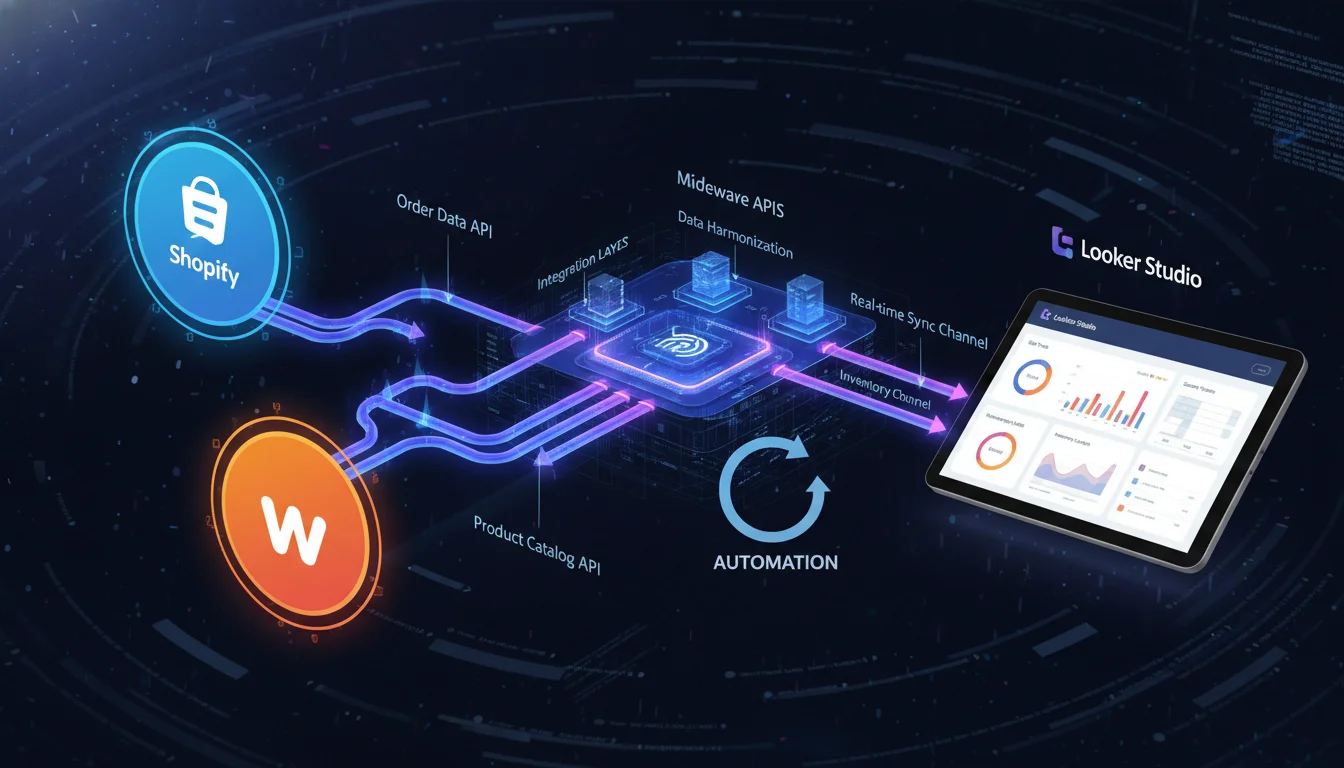
Looker Studio, being a Google product, does not possess native, built-in connectors for competing commercial ecosystems like Shopify or WooCommerce. Consequently, extracting data from these platforms requires the deployment of specialized third-party middleware APIs or the implementation of manual data extraction workflows.
Automated Middleware Connectors and Data Integration
Partner connectors serve to bridge the technical gap between encrypted transactional databases and the Looker Studio visualization interface. These platforms automate the extraction, transformation, and loading (ETL) processes on a tightly scheduled basis, ensuring the dashboard reflects real-time or near-real-time commercial realities. Utilizing platforms such as Catchr, Coupler.io, Porter Metrics, Windsor.ai, or Two Minute Reports completely eliminates the need for manual, error-prone data handling.
The authentication sequence for these enterprise connectors typically follows a highly standardized OAuth security protocol. The operator initiates the process by selecting their chosen partner application from the Looker Studio community connector gallery. They authorize the middleware to access the Looker Studio environment, and subsequently provide administrative credentials to the Shopify or WooCommerce storefront.
For WooCommerce specifically, the integration frequently bypasses standard OAuth and requires the generation of a dedicated REST API Key. The administrator must navigate to the WooCommerce advanced settings panel, generate a new key assigned with strict ‘Read-Only’ permissions, and securely migrate the resulting Consumer Key and Consumer Secret strings into the connector’s configuration portal. If a single Looker Studio report must manage multiple regional WooCommerce stores, each store must be added separately using unique API credentials, relying on Looker Studio’s internal filtering mechanisms to separate or aggregate the data.
These automated ETL pipelines unlock access to highly granular operational data structures that front-end systems like GA4 simply cannot access. For example, a direct Shopify API integration effortlessly pulls highly specific cost data, including Cost of Goods Sold (COGS), exact shipping expenditures, tax liabilities, and deterministic, unalterable records of customer returns and financial refunds. This deep integration allows for the creation of exact Gross Margin calculations and net profitability reports, capable of being broken down by individual SKU, customer type (first-time versus returning), or even specific landing page URLs. Furthermore, enterprise platforms operating multiple regional storefronts can utilize tools like Coupler.io to synchronize information from dozens of distinct accounts into a single data flow, utilizing an ‘Append’ transformation to merge the records and generate unified global revenue visualizations.
Manual and Intermediary Zero-Cost Workarounds
For emerging organizations or boutique agencies operating under strict budgetary constraints, investing in premium monthly middleware subscriptions may be financially unfeasible.
A highly robust, zero-cost alternative involves utilizing Google Sheets as a functional intermediary database between the e-commerce platform and Looker Studio.
The most rudimentary method involves manually exporting raw order and customer data from the Shopify or WooCommerce administrative panel as a CSV file. The analyst then imports this CSV directly into a dedicated Google Sheet, which is natively connected to Looker Studio via Google’s free Sheets connector. While effective, this manual workflow is highly prone to human error and data staleness, requiring highly disciplined daily or weekly operational routines to maintain dashboard relevance.
To approximate real-time synchronization without software licensing fees, architects can deploy an Integration Platform as a Service (iPaaS), such as Zapier or Make. These platforms can be configured to listen for ‘New Order’ webhooks broadcast by the e-commerce platform, automatically parsing the JSON payload and appending new rows to a designated Google Sheet instantly. However, this method requires highly careful formatting of the Google Sheet columns. The architect must ensure that dates are strictly parsed as ‘Date’ formats, revenue as ‘Numbers’, and names as ‘Text’, ensuring Looker Studio interprets the data types correctly upon ingestion.
Utilizing Google Sheets as an intermediary data warehouse also provides an exceptionally advantageous environment for structural data cleanup. Operators can maintain complex mapping tables within the spreadsheet environment to standardize inconsistent naming conventions across divergent marketing channels, unifying the dataset before the data ever reaches the final visualization layer.
Advanced Relational Architecture: Data Blending Protocols
Analyzing isolated datasets provides a fundamentally fragmented view of enterprise performance. To calculate the most critical business metrics—such as actual blended Return on Ad Spend (ROAS) or true cross-channel Cost Per Acquisition (CPA)—analysts must merge GA4 traffic data, advertising network expenditure (Google Ads, Meta Ads, TikTok Ads), and deterministic Shopify or WooCommerce revenue data into a singular, cohesive dataset. In Looker Studio, this complex process is executed through the Data Blending interface.
Looker Studio democratizes relational database management by permitting data blending without requiring analysts to write raw SQL code, relying instead on an intuitive visual blend editor. A blend operation merges multiple distinct data sources horizontally, appending specific metrics and dimensions from a secondary table directly onto the corresponding rows of a primary table based on shared dimensions, known functionally as “Join Keys”.
The success of a blended dataset hinges entirely on the absolute integrity of the join conditions. Looker Studio enforces incredibly strict equality for its join operations; the computational engine can only evaluate conditions where Field A = Field B. It explicitly does not support conditional mathematical evaluations such as greater than, less than, or non-equality joins. Consequently, the data types and exact formatting of the join keys across both sources must be perfectly identical. Minute discrepancies in capitalization, trailing spaces, or date string formats (for example, attempting to match the value “London” from GA4 with the value “LDN” from a CRM system) will immediately trigger a failure in the join condition, resulting in null values, missing metrics, or entirely dropped rows.
The Looker Studio engine supports several standard join operators utilized in complex e-commerce reporting, each serving highly specific strategic applications.
-
Left Outer Join
Functional Mechanism: Retains all records from the primary (left) data source and appends matching records from the secondary (right) source. Unmatched right records are permanently discarded from the view.
E-Commerce Application Scenario and Strategic Value: Ideal for merging deterministic Shopify orders (Left) with GA4 acquisition data (Right) using Transaction ID as the shared key. This ensures that every actual financial sale is definitively recorded on the dashboard, even if GA4 failed to attribute a traffic source due to browser privacy blockers. -
Inner Join
Functional Mechanism: Retains exclusively the records that exist simultaneously in both the left and the right data sources, discarding any unmatched data from both tables.
E-Commerce Application Scenario and Strategic Value: Highly effective for correlating very specific user behaviors, such as matching registered user email IDs stored in an external CRM with logged-in user behavior tracked in GA4, allowing analysts to isolate and analyze the specific browsing habits of loyalty program members. -
Full Outer Join
Functional Mechanism: Retains all records from all connected data sources, regardless of whether a matching key exists between the tables.
E-Commerce Application Scenario and Strategic Value: Frequently utilized for creating overarching, high-level performance summaries. For instance, combining total Meta Ads advertising spend and total Google Ads spend by Date to calculate daily total marketing outflow, even on days where one platform did not register any spend.
A classic and highly valuable implementation of data blending involves placing Google Ads (Source A) directly alongside GA4 (Source B) to evaluate true conversion efficiency without platform bias. By configuring the visual blend editor with Date and Campaign Name as the primary Join Keys, the resulting table seamlessly juxtaposes the ad network’s proprietary ‘Cost’ and ‘Clicks’ data directly against GA4’s ‘Sessions’ and ‘Purchases’ data.
However, analysts must remain constantly vigilant against the phenomenon of row duplication during blending. If a selected join key possesses a many-to-many cardinality relationship across the data sources, the blending algorithm will multiply the rows to account for all possible combinations, severely inflating revenue and traffic metrics and rendering the dashboard entirely useless. Furthermore, when analyzing session conversion rates within a blended structure, analysts must employ workarounds, as Looker Studio currently struggles to mix aggregated and non-aggregated fields for filtering purposes natively.
Mathematical Modeling: Calculated Fields and Custom Metrics
The pre-configured metrics provided by external APIs and standard data connectors rarely fulfill the nuanced, highly specific reporting requirements of advanced business analysis. Translating raw operational data into actionable strategic intelligence requires the deployment of Calculated Fields. These specialized fields allow data architects to utilize arithmetic operations, complex text manipulation, and branching Boolean logic to define proprietary business metrics directly within the Looker Studio computational environment.
Calculated fields operate at two distinct hierarchical levels within the software: the Data Source level and the Chart level. Creating a calculated field within the Data Source schema fundamentally alters the connection’s structure; the new metric becomes globally available across any and all reports that reference that specific data connection, which is vital for standardizing complex calculations (like a proprietary lead scoring algorithm) for enterprise-wide consistency. Conversely, Chart-specific calculated fields are localized entirely to a single visualization component. This allows for rapid mathematical prototyping and experimentation without permanently altering the underlying, shared data schema.
When defining these formulas, a profound understanding of data aggregation is paramount. A pervasive and frustrating error encountered by analysts in Looker Studio involves attempting to apply an aggregation function (such as SUM or AVG) to a metric that is natively pre-aggregated by the connector’s API. Doing so inevitably triggers syntax failures or produces nonsensical outputs. The foundational rule of Looker Studio calculated fields dictates that one must never apply an aggregation operator to an inherently aggregated metric, as the metric already possesses a defined mathematical state. Whenever feasible, utilizing pre-aggregated data and derived tables directly from a database like BigQuery optimizes the computational query load, significantly enhancing dashboard rendering speeds and preventing timeout errors.
The following formulations dictate the creation of advanced e-commerce metrics utilizing Looker Studio’s specific calculated field syntax:
Advanced Session Conversion Rate and Event Tracking
While GA4 inherently measures total conversions, extracting specific conversion rates for isolated events (like newsletter signups versus actual purchases) requires custom logic. Utilizing the IF statement allows analysts to isolate exact behavioral events.
Similarly, to isolate the pure count of a secondary conversion goal, such as a mailing list acquisition, the formula strips out all other event noise:
Cart Abandonment Rate
Abandonment rate is a highly critical indicator of friction within the purchasing process. While simple in concept, calculating it dynamically in Looker Studio requires precise syntax referencing GA4 event nomenclature. The mathematical formulation represents the percentage of users who initiated the checkout sequence but failed to finalize the transaction.
To deploy this practically via raw GA4 data, analysts must use a CASE statement or nested IF logic to computationally isolate specific events, calculating the delta between the total count of add_to_cart events and purchase events, formatting the resulting metric numerically as a strict percentage.
Advanced Average Order Value (AOV)
While some platforms pass AOV natively, blending data often requires recalculating the metric to avoid aggregation dilution.
AOV represents the quotient of total revenue divided by the total number of unique purchases.
Utilizing the COUNT_DISTINCT operator against the Transaction ID dimension is absolutely critical. Because raw transactional databases frequently generate an isolated data row for every individual item within a single purchase, utilizing a standard COUNT function would erroneously register one transaction containing five distinct items as five separate orders, thereby artificially suppressing the calculated AOV and devastating the accuracy of the financial reporting.
Cost, Profitability, and Net Revenue Adjustments
Standardizing true profitability metrics requires subtracting the initial acquisition and fulfillment costs from the gross revenue. If discounts are factored independently within the dataset, the original price vector must be computationally adjusted before margin analysis can begin.
Similarly, if negative net revenue occurs due to excessive operational costs or highly aggressive refund protocols, analyzing the absolute operational costs demands specific arithmetic isolation by multiplying the gross revenue by a negative integer:
Looker Studio assists analysts by color-coding valid dimensions in green and metrics in blue during the formula authoring process; a green checkmark appears beneath the formula box to confirm syntax validation, ensuring mathematical integrity before deploying the metric to the production canvas.
Architecting the Visual Experience: Layout, Grids, and Responsive Design
The ultimate efficacy of a dashboard is not solely determined by its statistical and mathematical accuracy. If the cognitive load required to interpret the data is too high, or if the interface is visually chaotic, stakeholders will simply abandon the tool. Transforming a dense array of data tables and charts into a streamlined, highly professional instrument demands rigorous adherence to visual hierarchy, precise grid alignment, and responsive structural design.
Canvas Dimensions and Spatial Organization
The foundation of visual dashboard design begins with configuring the exact canvas size. Looker Studio offers a variety of preset aspect ratios to accommodate standard display hardware, including standard US Letter (4:3) and Screen (16:9), available in both portrait and landscape orientations. For extensive e-commerce applications containing deep funnel breakdowns and numerous cross-channel comparisons, deploying a custom dimension is often strictly necessary. The digital canvas can expand to a maximum width of 2,000 pixels and an expansive height of 10,000 pixels, easily accommodating extensive vertical scrolling architectures.
To ensure pixel-perfect alignment across diverse visual components, manipulating the grid size is an essential best practice. Modifying the layout settings to enforce a strict grid—adjustable in minimum increments of 10 pixels—forces all charts, text boxes, and filters to snap into highly uniform alignments. This simple adjustment eliminates the jagged edges, overlapping borders, and asymmetrical white space that severely degrade the perceived professionalism and trustworthiness of the report.
The Responsive Layout Paradigm Shift
Historically, Looker Studio operated exclusively in a freeform layout mode, where all visual elements were locked into absolute, fixed X and Y coordinates. While effective for desktop monitor viewing, this rigid structure resulted in severely degraded usability on mobile devices, forcing busy executives to zoom and scroll excessively to parse critical KPI data on their smartphones.
The introduction of the responsive layout mode resolved this major structural deficiency. When activated, the responsive engine dynamically recalculates the width, alignment, and spatial distribution of charts and tables relative to the viewing device’s specific viewport, optimizing the display for large monitors, tablets, and mobile interfaces seamlessly. However, transitioning a complex, legacy dashboard from freeform to responsive requires highly careful testing. Architects must utilize browser developer tools to simulate various mobile viewports, ensuring that stacked components do not overlap incorrectly or render text entirely illegible during the automated reflow process.
Thematic Consistency and Color Theory
Applying a uniform, aesthetically pleasing theme prevents visual fatigue and enhances readability. Looker Studio allows architects to define report-wide thematic defaults within the “Theme and Layout” panel, establishing standardized primary and secondary typography, background hues, and chart title colors. Hiding the report header by default maximizes functional screen real estate, while enabling tab-based navigation creates a clean, intuitive, software-application-like experience for multi-page reports.
When engineering the specific color palette, maintaining high visual contrast is non-negotiable. Utilizing subtle linear gradients or stark, neutral backgrounds (such as very light grays or dark charcoal) ensures the brightly colored data visualizations command the viewer’s immediate attention without clashing. Primary fonts should be highly readable, sans-serif typefaces like Ubuntu, ensuring clarity on high-resolution screens.
For organizations lacking dedicated internal UI/UX design resources, a highly effective technique involves extracting color palettes from established, professional templates. Architects can utilize digital color meter tools to copy specific hexadecimal values from premium designs, ensuring harmonious and accessible color relationships. Finally, embedding corporate logos and applying brand-specific primary colors to the data visualizations transitions the dashboard from a generic Google reporting interface into a highly customized, white-labeled corporate asset.
Data Visualization Strategies and Component Deployment
Deploying the optimal chart type for specific analytical queries is the absolute crux of data storytelling. Over-complicating a dashboard with esoteric visualizations (like complex scatter plots or radar charts) when simple bars or lines would suffice obscures the fundamental truths of the data. A highly effective e-commerce dashboard follows a strictly logical vertical visual hierarchy, descending naturally from high-level macroscopic summaries down to granular, microscopic data drill-downs.
The Macro Layer: Scorecards and KPI Execution
The uppermost echelon of the reporting canvas should be exclusively populated by KPI Scorecards. These specialized components isolate single, critical metrics (e.g., Total Revenue, Blended ROAS, Total Sessions, Conversion Rate) and must be visible immediately upon loading without requiring the user to scroll. A solitary number lacks strategic meaning without historical context; therefore, every scorecard must incorporate strict comparison periods, visually indicating positive or negative delta trajectories relative to the preceding week, month, or year. Advanced deployments often involve color-coding scorecards to visually correspond directly with the underlying line charts they summarize, creating an intuitive, subconscious associative link for the user navigating the interface.
The Contextual Layer: Time Series and Geographic Mapping
Directly beneath the scorecard tier, contextual visualizations provide the necessary historical narrative. Time series line charts are the optimal visual vehicle for plotting daily or weekly fluctuations in acquisition costs or gross revenue, illuminating cyclical purchasing trends and seasonal consumer behaviors that aggregate numbers obscure.
For global or multi-regional e-commerce operations, geographic performance is best illustrated utilizing interactive Google Map components or bubble maps. By assigning a geographic dimension (such as Country, Region, or City) and mapping the physical bubble sizes to quantitative metrics like Revenue or Sessions, stakeholders can instantly and visually identify high-density consumer markets. Looker Studio allows for the implementation of regional exclusions within these maps, refining the visualization to focus strictly on active operational territories and filtering out irrelevant, anomalous traffic originating from unsupported countries.
The Micro Layer: Interactive Tables and Dynamic Filtering
The foundational, microscopic layer of the dashboard relies heavily on tabular data. While visually dense and less aesthetically striking than charts, interactive tables are entirely unmatched in their ability to display exact raw numbers and facilitate deep, granular analytical drill-downs. To remain effective, tables should be aggressively curated, capped at a maximum of four to six columns (for example: Product Name, Units Sold, Revenue, and Margin) to prevent horizontal cognitive overload and scrolling fatigue. Applying conditional formatting and heatmap colors within specific table columns instantly draws the human eye to high-performing outlier SKUs or severe anomalous friction points requiring intervention.
To maximize the dashboard’s overarching utility without endlessly multiplying the number of required report pages, architects must deploy robust interactive control filters. Embedding drop-down lists and advanced date range selectors enables the end-user to manipulate the entire dashboard dynamically, isolating specific product categories, marketing campaigns, or demographic segments with a single click. Setting default date ranges within these controls (such as automatically defaulting to the trailing 28 days) ensures the dashboard always displays highly relevant, current information upon initialization, reducing friction for executive stakeholders.
Automated Delivery and Stakeholder Distribution
The ultimate strategic value of a business intelligence dashboard lies entirely in its consistent consumption by decision-makers.
Relying on busy stakeholders to proactively log into the Looker Studio web interface frequently leads to exceptionally low adoption rates. Establishing automated report delivery mechanisms directly into existing operational workflows guarantees that critical data informs daily, weekly, and monthly strategic planning.
Looker Studio possesses highly robust native scheduling infrastructure designed to solve this exact problem. Architects can configure automated email deliveries, dictating highly specific frequency cadences such as daily morning briefs, bi-weekly marketing performance updates, or comprehensive end-of-month financial summaries. The configuration panel allows the administrator to customize the email subject line and body text to provide necessary context (e.g., “Weekly Paid Media Performance Summary”), while defining exactly which specific pages of a massive multi-page report should be included in the distribution.
When the scheduled protocol executes, recipients receive an automated email containing a high-resolution preview image of the primary dashboard canvas, a direct hyperlink to the live interactive web environment, and a static PDF export attached directly to the message for offline archival and compliance purposes. Architects must be aware of file size limitations; emailed deliveries cannot exceed 20 MB for inline formats and 15 MB for direct attachments.
For advanced enterprise environments utilizing the premium Looker Studio Pro tier, the distribution ecosystem expands significantly beyond traditional email. Administrators can configure reports to be pushed automatically via webhooks to custom applications, deposited securely into Amazon S3 buckets for data warehousing, or broadcast directly into designated Google Chat channels for immediate team visibility. Notably, within the Pro tier, administrators cannot set custom subjects or messages for reports residing in personal “Owned by me” folders, requiring reports to be migrated to shared team workspaces prior to advanced scheduling.
Accelerating Deployment: Pre-Built Frameworks and Templates
While constructing a bespoke dashboard entirely from absolute zero provides ultimate architectural customization, leveraging pre-built templates drastically accelerates deployment timelines and serves as highly educational reference material for novice developers. The Looker Studio ecosystem is supported by a massive, continuously expanding library of premium and free templates developed by specialized data agencies, marketing firms, and the broader analytical community.
These pre-configured frameworks instantly deploy highly complex structures to the user’s account, complete with optimized color palettes, pre-written calculated fields, and perfectly aligned responsive grid layouts. The operator simply duplicates the file and maps their proprietary data sources to the pre-existing data blocks, instantly populating the advanced framework with their own live metrics.
The following table categorizes prominent sources for high-quality Looker Studio e-commerce templates available, detailing their core value propositions and optimal use cases:
| Template Provider / Repository | Core Value Proposition and Integrated Features | Primary Operational Use Case |
|---|---|---|
| Coupler.io | Offers an extensive suite of free, ready-to-use dashboards tailored for highly specific data integrations, including dedicated WooCommerce order tracking interfaces, Meta Ads monthly performance summaries, and complex multi-channel PPC cross-reporting. | Ideal for digital marketers and agencies requiring rapid, plug-and-play visual interfaces linked directly to their automated ETL middleware pipelines. |
| Porter Metrics | Provides highly specialized, premium templates across social media, CRM, and e-commerce vectors. These are specifically architected to monitor Shopify sales funnels, GA4 purchase rates, and highly detailed ad-pacing budget tracking. | Best suited for dedicated e-commerce operators seeking granular tracking of conversion events and immediate, visually appealing presentation of native Shopify APIs. |
| Data Bloo | Features premium, highly polished corporate templates, such as the widely used Ecommerce Revenue Template, which is explicitly designed to correlate micro-performance metrics with overarching macroeconomic business objectives. | Specifically designed for executive leadership presentations requiring immaculate aesthetic polish, high-level macroeconomic summaries, and board-ready PDF exports. |
| Chartud.io & Looker Community Gallery | Hosts diverse, community-built templates, ranging from local SEO dashboards utilizing Google Search Console to highly specialized frameworks tracking traffic volume originating specifically from Artificial Intelligence (AI) platforms and Large Language Models (LLMs). | Highly valuable for technical SEO professionals and progressive marketers closely tracking organic acquisition shifts driven by emerging AI search paradigms. |
By utilizing these templates, organizations can bypass the steepest segments of the Looker Studio learning curve, immediately deploying enterprise-grade reporting infrastructure that drives continuous optimization and revenue growth across their digital commerce operations.